Disclaimer: This post contains affiliate links. If you make a purchase through these links, I may earn a small commission at no extra cost to you. This helps support the blog and allows me to continue creating in-depth guides like this one.
How to Instantly Upgrade Your Stream’s Audio: A Deep-Dive Review of the LIANGSTAR USB Microphone
We’ve all been there: you spend hours perfecting your lighting, your webcam is crystal clear, and your content is fully prepped. But when you hit “record” or “go live,” your voice sounds muffled, distant, or drowned out by background hums. In the world of content creation, poor audio is the fastest way to lose an audience.
If you’re looking to elevate your podcast, Twitch stream, or even your daily Zoom meetings without dropping hundreds of dollars on studio-grade gear, you need to look at the LIANGSTAR USB Computer Microphone.
In this deep-dive review, we’ll explore exactly why this budget-friendly powerhouse is making waves, and I’ll show you exactly how to set it up for the best possible sound.

Why the LIANGSTAR USB Microphone Stands Out
When evaluating a microphone for a home studio, three things matter most: vocal clarity, ease of use, and background noise management. The LIANGSTAR tackles all three beautifully.
- Intelligent Noise Reduction: Powered by a built-in CCS3.0 smart chip, this mic actively filters out background hums (like PC fans or AC units). Your voice comes through smooth and isolated.
- Omnidirectional Pickup Pattern: It captures sound cleanly from 360 degrees. This is incredibly beneficial if you tend to move around in your chair while streaming or if you are hosting a multi-person podcast in the same room.
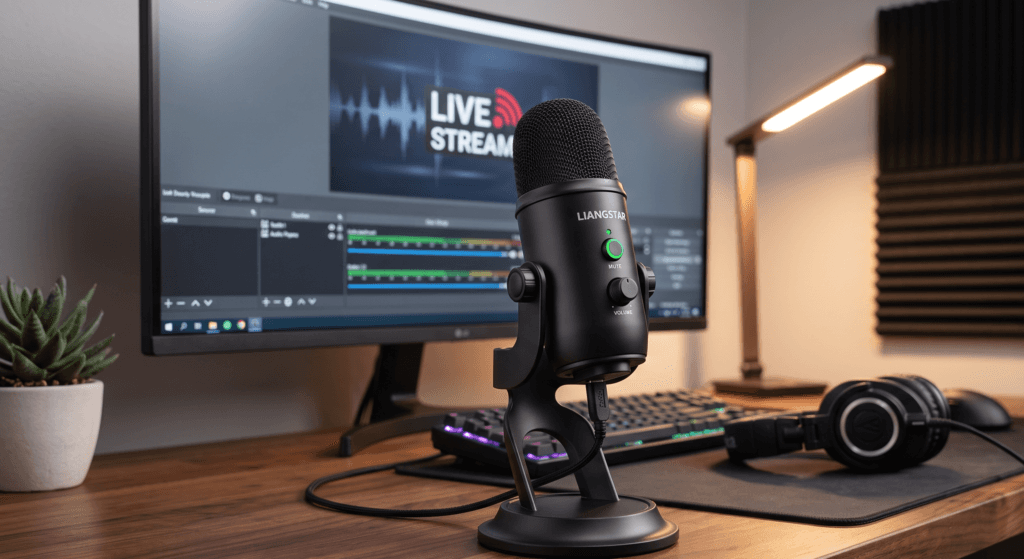
- One-Tap Mute Button: Streaming live or sitting in a corporate meeting? The accessible one-button mute (with a clear LED indicator) is a lifesaver for unexpected interruptions, coughing fits, or taking a quick sip of water.
- True Plug & Play: Because it has a built-in sound card, there are no confusing drivers to download. It works instantly with Windows, Mac, PS4, and PS5.
How to Set Up Your LIANGSTAR Mic for Studio-Quality Sound
Having a great microphone is only half the battle; knowing how to position it is where the magic happens. Follow this quick setup guide to get the richest vocal tone out of your new LIANGSTAR mic:
- Find the Sweet Spot: Place the microphone on your desk about 6 to 8 inches away from your mouth. Because it has a flexible 360-degree adjustable neck, you can easily angle the capsule directly toward you without having to move the heavy, stable base.
- Connect and Select: Plug the USB cable into your PC or console. Go to your system’s sound settings (or OBS/Streamlabs audio settings) and select “USB Audio Device” as your primary input.
- Dial in the Gain: Use the on-board volume control knob to set your levels. Speak at your normal volume and adjust the knob until your audio meters are peaking in the “yellow” zone (usually around -12dB to -6dB). Never let it hit the red!
- Test the Mute: Familiarize yourself with the one-key mute button before going live. The LED light will let you know exactly when you are hot and when you are safely muted.

Pros & Cons: Is it Right for You?
| The Good | The Not-So-Good |
|---|---|
| ✅ Unbeatable price-to-performance ratio | ❌ Omnidirectional pickup can capture echoes in very empty, uncarpeted rooms |
| ✅ No software bloatware required | ❌ Desk-stand only (does not mount to a standard boom arm out of the box) |
| ✅ Physical mute button & volume control |
The Verdict
If you are still using your laptop’s built-in microphone or a cheap gaming headset, the LIANGSTAR USB Microphone is the easiest, most cost-effective upgrade you can make to your setup today. It delivers the warm, clear audio that audiences expect, wrapped in a user-friendly design that won’t require a degree in audio engineering to figure out.