Ultimate Deep-Dive Review: How to Master Office Productivity with the Leitner LH570
This post contains affiliate links (included). If you make a purchase through these links, I may earn a small commission at no extra cost to you.
If you manage a remote customer service team, work in a high-volume office, or simply spend half your day bouncing between Zoom meetings and traditional phone calls, you already know that standard Bluetooth headsets often fall short. Dropped calls, static, and constant interruptions kill productivity. Enter the Leitner LH570 Premium Plus Wireless Headset.
In this deep-dive review, we’ll explore exactly why the Leitner LH570 is dominating the premium business headset space. More importantly, we’ve put together a quick ‘How-To’ guide to help you maximize its unique features—like UniBase® call merging and FocusLight technology—so you can upgrade your daily workflow.
Standout Features: What Makes the LH570 Worth the Investment?
Priced as a premium office tool, the Leitner LH570 justifies its cost through professional-grade specs that standard consumer headphones simply cannot match.
- DECT 6.0 Wireless Technology: Unlike Bluetooth, which often maxes out at 30–50 feet and suffers from interference, DECT 6.0 gives you up to 350 feet of UltraRange Mobility. You can walk to the kitchen for coffee without dropping a client call.
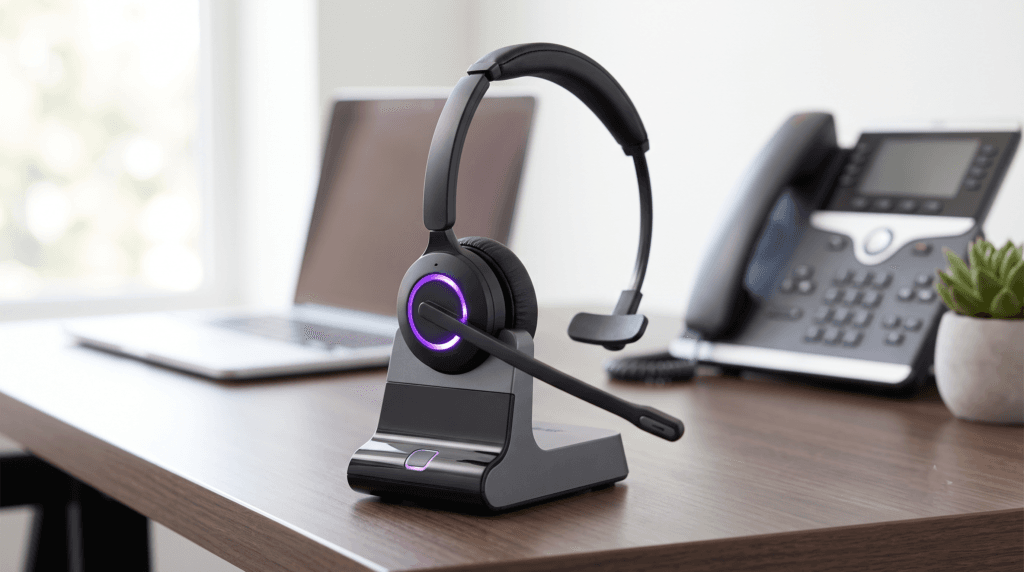
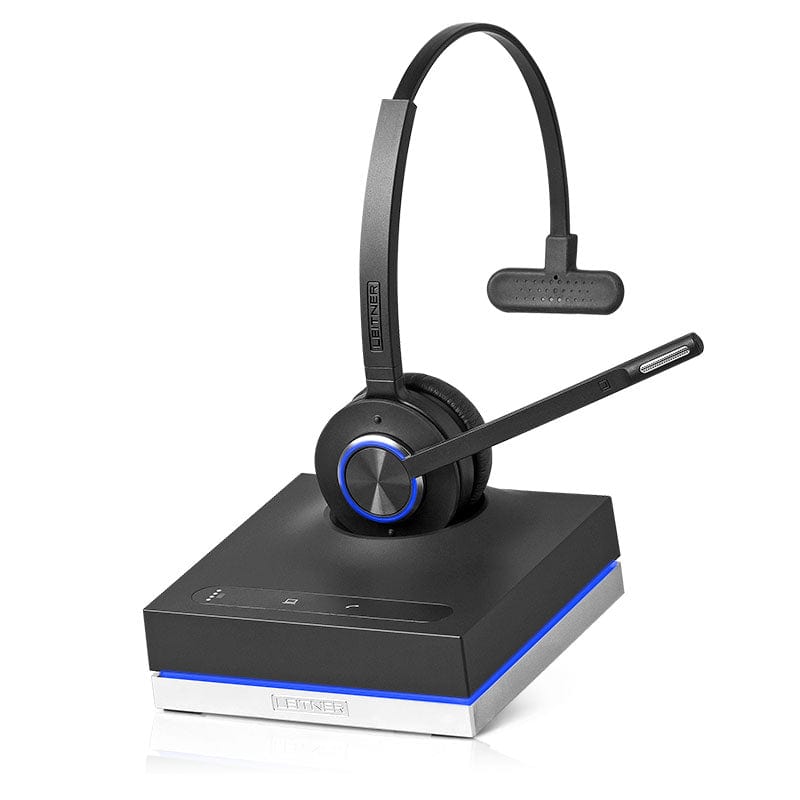
- Integrated FocusLight: Say goodbye to the “tap on the shoulder” while you’re talking. The glowing LED ring on both the headset and the charging base turns on automatically when you are on a call, clearly signaling to coworkers or family members that you are busy.
- Ultra Noise-Canceling Microphone: Filters out up to 90% of background noise, ensuring your caller hears only your voice, not the chatter in the next cubicle or your barking dog.
- Industry-Leading 5-Year Warranty: While most competitors offer 1-2 years, Leitner backs the LH570 with a full 5-year replacement warranty, making it a highly reliable long-term investment.
How to Maximize Your Workflow with the Leitner LH570
Having a premium headset is only half the equation; knowing how to leverage it is where the real productivity happens. Here is a step-by-step guide to unlocking the LH570’s best features.
1. How to Set Up 2-in-1 Dual Connectivity
The LH570 connects to both your computer (via USB) and your traditional desk phone (via RJ9 cord) simultaneously. To set this up seamlessly:
- Plug the charging base into a wall outlet using the included power adapter.
- Connect the included USB cord from the base to your PC or Mac. Your computer will automatically recognize it as “Leitner Headset” without needing external software.
- Connect the RJ9 telephone cord from the base directly to the headset port on your desk phone.
- The Result: You can now toggle instantly between a Microsoft Teams meeting and a standard desk phone call with a single button press on the base.
2. How to Merge Calls with UniBase® Conferencing
One of the most powerful—and most unique—features of the LH570 is UniBase® Technology, which allows you to merge audio from your computer and your desk phone into a single conversation.
- The Scenario: You are on a desk phone call with a client, but you need your remote manager (who uses Zoom or Teams) to jump in and assist.
- The Fix: Simply press the PC and Telephone buttons on your Leitner base at the same time. The calls will merge, bridging the gap between landlines and VoIP software instantly.

Comparison Guide: Leitner LH570 vs. Standard Bluetooth Headsets
If you’re wondering whether to buy a high-end consumer Bluetooth headset or a dedicated DECT 6.0 office headset like the LH570, here is how they stack up for business use:
| Feature | Leitner LH570 (DECT 6.0) | Standard Bluetooth Headsets |
|---|---|---|
| Wireless Range | Up to 350 feet | Usually 30-50 feet |
| Connection Security | High (Enhanced DECT Security) | Moderate (Susceptible to interference) |
| Visual Busy Indicator | Yes (FocusLight on headset & base) | Rarely included |
| Call Merging | Yes (UniBase Conferencing) | No |
| Warranty | 5 Years | 1-2 Years |
Final Verdict
The Leitner LH570 is purposefully built for professionals who cannot afford dropped connections, poor audio, or constant interruptions. Between the massive 350-foot wireless range, the genius FocusLight visual system, and the peace of mind that comes with a 5-year warranty, it easily earns its premium price tag. If you are serious about your office or work-from-home setup, this is the final upgrade you’ll need.