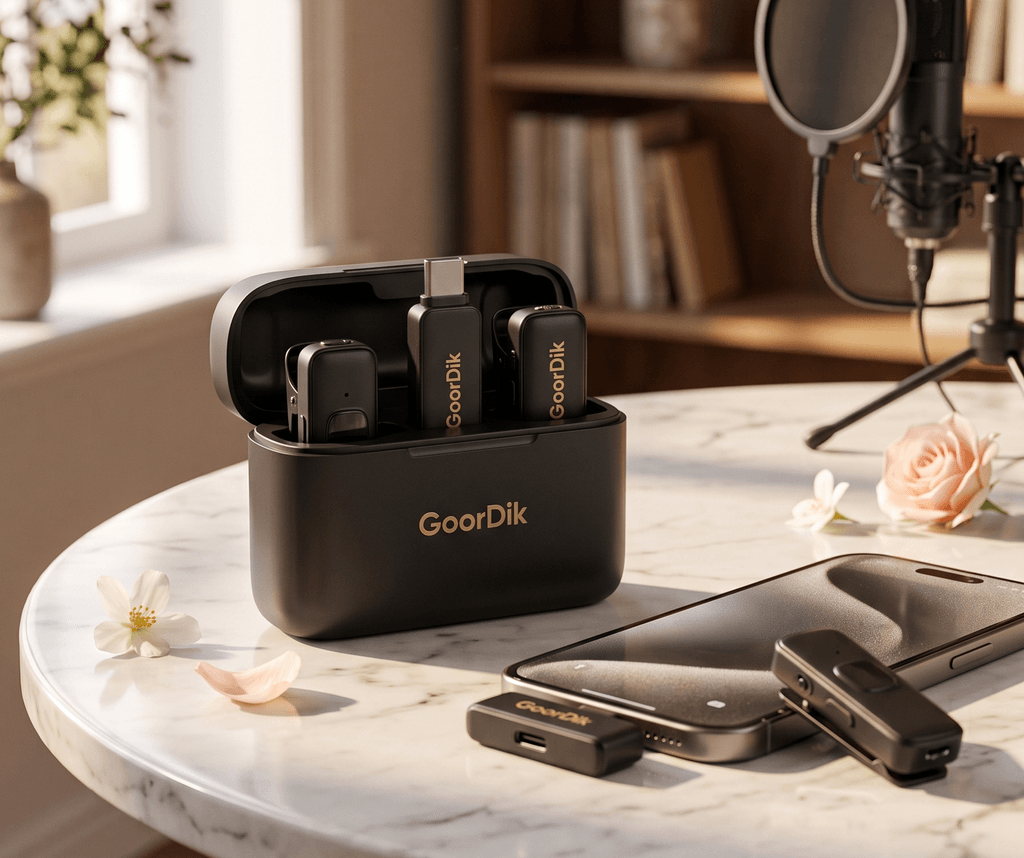
The Ultimate Wireless Lavalier Microphone Review & How-To Guide
Nothing ruins a TikTok, YouTube Short, or podcast interview faster than hollow, wind-battered audio. If you’ve been relying on your smartphone’s built-in microphone, upgrading to a dedicated dual-transmitter wireless lapel system is the single fastest way to look and sound like a seasoned pro.

Hands-On Review: Why Good Audio Matters
Viewers will tolerate average 1080p video, but bad audio makes them swipe away in seconds. The GoorDik Wireless Lavalier Microphone System tackles the biggest pain points creators face: zero app setup requirements, crystal-clear background noise reduction, and flexible rotatable clips that stay hidden on camera.
Having tested dozens of budget-to-midrange wireless lapel mics, the biggest differentiator here is practical usability. The receiver snaps straight into your USB-C port (or USB-A via the included adapter), and both dual transmitters pair within milliseconds—no Bluetooth pairing menus or third-party recording apps required.
Standout Features at a Glance
- Active Denoise Technology: Built-in intelligent DSP filters out traffic rumble, HVAC hum, and café noise while keeping vocal tones warm and distinct.
- 360° Rotatable Magnetic Clip: Position your capsule precisely toward your mouth whether wearing a T-shirt collar, jacket lapel, or button-down.
- All-Day Battery Life: Up to 6–12 hours of continuous recording per charge, plus pass-through charging support directly on the receiver so your phone never dies mid-stream.
- Complete Creator Kit: Comes loaded with 2 transmitters, 1 receiver, 4 foam mic covers, 2 furry outdoor wind muffs (deadcats), and a USB-A adapter.
- 20-Meter (65ft) Stable Wireless Range: Clear 2.4GHz low-latency signal transmission allows seamless walk-and-talk demonstrations and dynamic framing.
How It Compares to Generic Microphones
| Feature | GoorDik Wireless Lav Mic | Generic Budget Lav Mics |
|---|---|---|
| Setup | Instant Plug-and-Play (No App) | Clunky Bluetooth / Third-Party Apps |
| Noise Reduction | Active DSP Denoise + Furry Deadcats | Basic Passive Foam Only |
| Transmitter Count | Dual (2-Person Interviews) | Single Transmitter Only |
| Clip Mechanism | 360° Rotatable Positioning | Fixed Direction Clip |
| Device Passthrough | Charge Phone While Recording | Blocks Charging Port Entirely |
Step-by-Step: How to Use & Get Pro Audio
- Connect the Receiver: Plug the receiver directly into your phone’s USB-C port (iPhone 15/16/17 series, Android phones, iPad, or PC/Mac using the adapter). (Android Tip: Make sure “OTG Connection” is enabled in system settings if required).
- Power On the Transmitters: Press and hold the power button on the clip-on microphone transmitter until the LED indicator illuminates solid green, confirming instant auto-pairing.
- Attach and Position: Clip the transmitter to your shirt around 6–8 inches below your chin. Rotate the magnetic clip head to point the capsule upward toward your mouth.
- Select Your Noise Profile: Click the function button once to toggle between Natural Original Sound and Active Denoise mode depending on ambient background noise.
- Add Wind Protection (Outdoor Use): Snap on the included furry windscreen muff to stop wind buffeting during outdoor vlogging.
The Final Verdict
If you create content for TikTok, YouTube, Instagram Reels, or conduct two-person podcast interviews, this wireless lavalier setup punches way above its price class. It eliminates the friction of technical audio setup so you can focus entirely on creating great content.